Spam SMS volumes have nearly tripled from 2021 to 2024, with these messages increasingly serving as a common entry point for scams and social engineering attacks. With millions of unsolicited messages sent daily by automated systems and fraudsters, every unknown message carries an inherent risk to privacy or finances.
In this guide, you’ll learn how to stop spam text messages effectively. We’ll go over strategies that go beyond basic blocking to reduce exposure at the source without disrupting your daily communication.
What Are the Biggest Risks of Spam Texts?
Spam texts are annoying and waste your time, which can be inconvenient. But the bigger risk is the financial fraud, identity theft, and psychological manipulation they enable.
The biggest threat comes from smishing (SMS phishing) attacks, where scammers send fake messages that appear legitimate, aiming to trick you into:
- Clicking on malicious links that lead to malware or phishing sites
- Sharing sensitive details like SSNs, passwords, addresses, or one-time verification codes
- Entering payment information on fake banking portals or making payments directly to the scammer’s bank account
In 2024, U.S. consumers alone reported $470 million in losses to text-based scams such as fake packages and job offers, up fivefold from 2020.
Identity theft is another long-term risk that results from SMS-based fraud. Once scammers have information like your SSN or bank account details, they can register loans in your name, create fake IDs, or sell your account credentials on dark web markets. In severe cases, long-term damage to your credit can take years to recover.
How To Stop Getting Spam Text Messages: 5 Effective Strategies
Spam protection requires a combination of tools already available on your phones and taking steps to limit who has access to your number in the first place. These five strategies focus on how to get rid of spam text at different levels:
- Use built-in spam filtering tools
- Block and report the spammer
- Sign up for the Do Not Call Registry
- Clean up your online footprint
- Use a secondary phone number for high-exposure uses
1. Use Built-In Spam Filtering Tools
Most iOS and Android smartphones offer native filtering tools that can be enabled in the device settings. These controls automatically sort texts from unknown or suspicious senders into the spam folder.
On iOS, the primary setting is Filter Unknown Senders, which routes all texts from non-contacts to a hidden Unknown folder. To enable it:
- Open the Settings app
- Go to Messages
- Turn on Filter Unknown Senders
However, this feature doesn’t work like a traditional spam text filter, so it will separate even legitimate messages from companies or delivery services if they’re not in your contacts. Android’s text message spam filter does a relatively better job here.
For example, the Google Messages app (the default messaging app in many Android phones) uses on-device AI and URL scanning for real-time scam detection. If it suspects spam or a malicious link, it filters the message before it reaches your main message thread. Here’s how to enable it:
- Open your messaging app and tap on your profile icon
- Go to Messages settings, scroll down
- Tap on Spam protection
- Toggle on Enable spam protection
Android also lets you block marketing and promotional messages by disabling RCS messages. Go to Messages settings > RCS chats and then disable the Turn on RCS chats option. However, you lose the benefits of RCS messaging, including typing indicators, rich media sharing, and RCS group chats.
These native device controls filter out most junk and suspicious texts. However, scammers have started crafting sophisticated, legitimate-looking phishing attempts that these filters might miss, especially if they're from a personal number.
2. Block and Report the Spammer
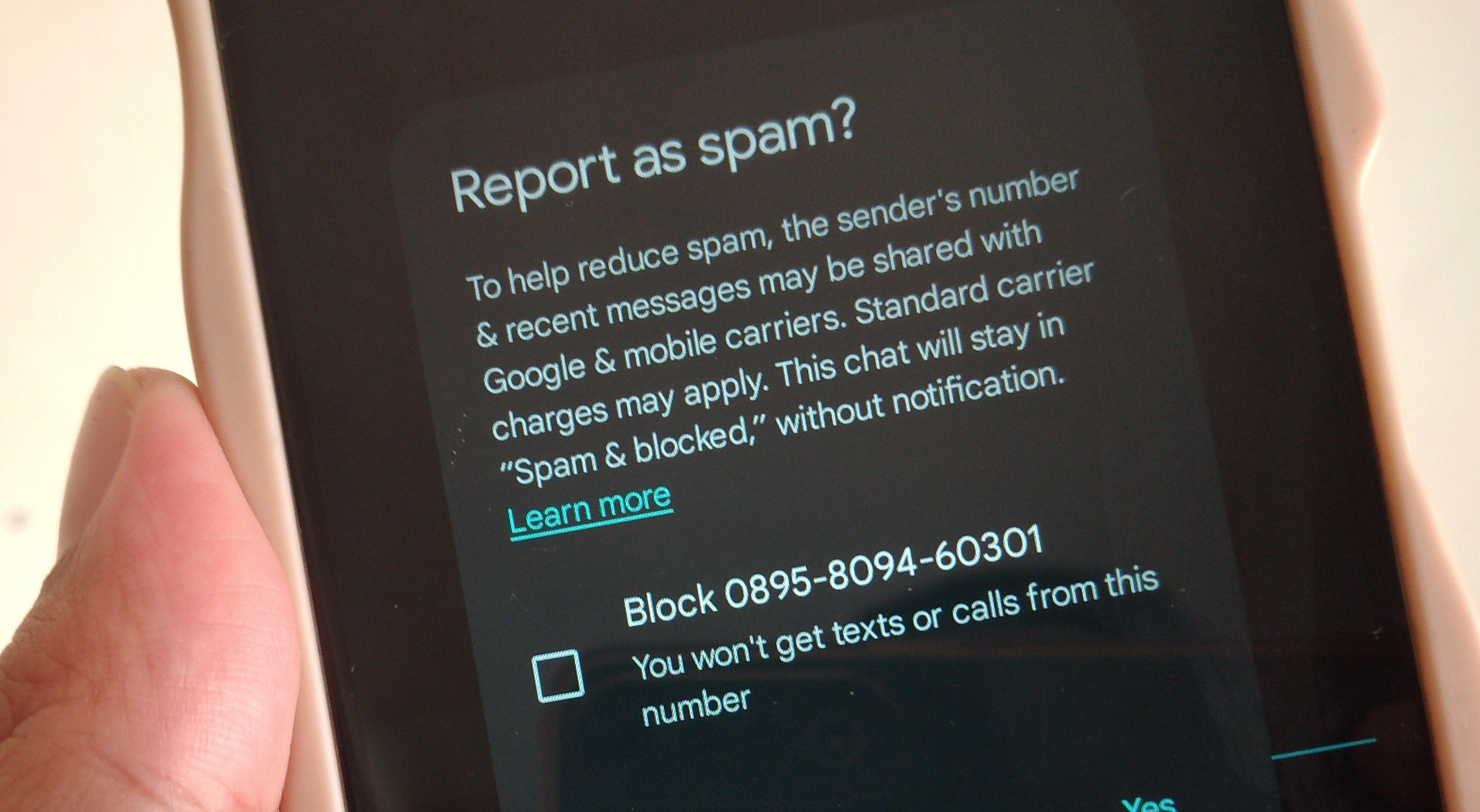
When a spam text slips through your filters, block and report it immediately to stop spam SMS from that number in the future. Never respond to spam, not even replying with “STOP,” as it tells scammers that your number is active, leading to even more spam texts directed towards you.
Here’s how to block spam text messages on iPhone:
- Open the Messages app
- Open the spam message and tap on your contact icon (be careful not to tap anywhere in the text)
- Go to Info and tap on Block Caller
To report and block spam text messages on Android:
- Open the Messages app
- Long-press on a conversation
- Tap Block and report spam
In the U.S. and many other countries, you can directly report to your carrier by forwarding the message to 7726 (SPAM). This method works across AT&T, Verizon, T-Mobile, Mint Mobile, and other major carriers. When you report the spam text 7726, it tells your carrier to investigate and block similar senders in the future and, in many cases, share intelligence and spam patterns with other carriers.
For texts that appear particularly dangerous, file a report with the FTC at ReportFraud.ftc.gov. Provide as much information as possible about the message and number.
Still, blocking isn’t a foolproof way to prevent spam text messages. Scammers often rotate or spoof numbers, making it easy to bypass existing filters or block lists.
3. Sign Up for the Do Not Call Registry
The Do Not Call Registry is an opt-out list maintained by the FTC that tells marketers not to call or message you without your consent. You can enroll at DoNotCall.gov or by calling 1-888-382-1222 from your phone.
The registry targets only legitimate companies and telemarketers, not scammers. So, bad actors who flood your phone with fraudulent texts and robocalls would continue doing so. Still, opting in is free and can reduce the volume of sales calls and promotional SMS from real businesses.
4. Clean Up Your Online Footprint
The moment you enter your phone number on website forms, app registrations, loyalty programs, or social media groups, it can enter a long-term circulation cycle across marketing lists and publicly accessible databases.
Data brokers form the biggest link in this chain, aggregating your information and creating searchable profiles that spammers can buy at minimal cost. For example, Acxiom, one of the largest data brokers, has records on over 2.6 billion people worldwide, including demographics, phone numbers, email addresses, and personal interests.
That said, legitimate data broker websites give you the option to opt out and remove your listings from their records. However, doing this manually can be tedious and involves searching for your information on Google, visiting each broker and people-search site that lists it, and filling out an opt-out form with your details.
5. Use a Secondary Phone Number for High-Exposure Uses
The single most effective way to mitigate spam is to make it harder for spammers to access your real number in the first place.
Instead of handing out your real phone number every time for online shopping or signups, get a secondary or burner phone number for all low-trust interactions. Any resulting spam, marketing, or data breach fallout is contained to this disposable line, keeping your primary number clean and private.
There are multiple ways to use an alternate number without compromising convenience. Here’s a quick overview of some popular options:
Secondary Number Type | How It Works | Best For |
VoIP apps and services (e.g., Google Voice and Hushed) | Routes calls and texts over the internet and can be managed through an app or web platform | One-off sign-ups, temporary use, basic calling/texting |
Separate SIM card | A physical SIM you can use with budget feature phones | Alternate lines on a separate device |
Carrier-provided secondary eSIM (e.g., Cape) | An additional mobile line provided by a carrier alongside your main line on the same device | Long-term privacy and security |
Each option comes with its own tradeoffs. VoIP apps are the easiest to set up and work well for temporary use, but they can run into reliability issues, especially with bank alerts, verification codes, or carrier filtering. Physical SIM cards offer stronger separation, but they require a secondary device or added setup, which isn’t always practical.
For most users, the goal is to balance privacy, reliability, and convenience without adding extra friction to everyday communication, which is where newer solutions start to stand out. With eSIM secondary numbers, Cape combines the benefits of a dedicated mobile line with the ease of use of a single device.
Can Spam Filter Apps Stop Spam Text Effectively?
Popular spam filter apps like RoboKiller, Hiya, and Truecaller can be effective at blocking unwanted calls and texts. They often include features like real-time caller ID and reverse phone number lookup. However, this convenience often comes at the cost of privacy. Some apps rely on large-scale data collection, such as contact lists, call logs, and usage patterns, to improve their filtering systems.
In certain cases, reports have shown that data may be shared or exposed beyond what users expect. Third-party spam apps have a documented history of collecting and sharing sensitive user information. In one case from 2024, Truecaller and CallApp were found to have uploaded a user's entire contact list (including names, email addresses, addresses, and social links) to public databases without consent.
Carrier-provided services like Verizon's Call Filter or T-Mobile’s Scam Shield raise similar concerns. These services often collect device and network data, and many major telcos have experienced multiple data breaches in recent years.
Reduce Spam by Limiting Data Exposure at the Source
Blocking or filtering isn’t a permanent solution to spam. It doesn’t address how your data was exposed in the first place, nor does it prevent mobile carriers or intermediaries from collecting and retaining personal information.
The long-term solution is strategic compartmentalization: creating a separation between your private identity and the public world. A privacy-first carrier like Cape takes this a step further.
In addition to offering real secondary numbers, Cape’s network is built around minimal data collection and modern cryptographic protections. We reduce the risk of your information, including activity linked to your numbers, from being sold, leaked, or linked to your identity.
Meet Cape: The Secure Carrier Designed for Today’s Threats
We share the most intimate details of our everyday lives with our cell phones. In order to stay connected, our cell phones share that information with local cell networks, and in turn, those cell networks share our data with each other.
While this system is what makes connectivity possible, it was also built with interoperability as its priority, rather than security. The global cell network is vulnerable to a number of threats, as seen through headlines about major carrier data breaches we see time and time again. When major carriers aren’t losing our sensitive personal data in breaches and hacks, they’re actively selling it to ad networks, data brokers, and third parties.
At Cape, we believe that privacy and security shouldn’t have to be sacrificed for connectivity. That’s why we built our service with privacy principles and security features at its core, including:
Are you tired of spam messages from brands, phone call surveys, and scammers trying to trick you into sharing sensitive information over the phone? The reason why most people are exposed to these nuisances is that we are often required to share our phone numbers with retailers, websites, apps, and service providers.
While messages and phone calls can be annoying, what’s worse is that your number can easily become a target for data brokers and bad actors. That’s why many people turn to VoIP numbers as secondary lines. VoIPs are a decent option, but they don’t fully solve the issue—they are not encrypted, you can’t use them for 2FA, and they’re an additional cost each month.
When you sign up for Cape, you get two free additional SMS/MMS lines that are middle-to-end encrypted. This allows you to use Secondary Numbers for online shopping, signing up for services and discounts, and receiving secure OTPs, while your primary phone number is reserved for friends and family.
Cape eliminates the risk of your sensitive data falling into the wrong hands by not even asking for it. When you make your Cape account, we don’t ask for your name, address, or SSN. We only collect the information that’s necessary to provide the service, and we retain it for the least amount of time possible.
During account creation, you receive a unique 24-word phrase that generates a private key tied to your phone number. This pass phrase is required to move your number to a new device or carrier. Nobody else, not even us at Cape, has access to the phrase, meaning there’s absolutely no way for bad actors to transfer your number to their device, effectively nullifying the possibility of SIM swapping.
Your phone stores an incredible amount of data, which can be accessed through call and text records. Most mobile carriers store your call and text metadata for years, which can easily fall into the wrong hands.
Cape is built to forget, meaning we delete Call Data Records (CDRs) after just 1 day, ensuring nobody can see who you texted or called, track where the communication took place, or access the sensitive information within CDRs.
All SIM cards are accompanied by International Mobile Subscriber IDs (IMSI). These function as unique identifiers devices use to register with cellular networks. Traditional telcos assign fixed IMSIs to user accounts, meaning the carriers, advertisers, hackers, and other bad actors can exploit them to identify and track your device.
Cape patches this security hole by allowing you to automatically rotate your IMSI every 24 hours. In practice, this means you appear as a different subscriber every day, making it much more difficult for anyone to identify your device or track your movements.
6. Network Lock
Traditional cellular networks were designed for interoperability, not security. Outdated and legacy network protocols like SS7 have vulnerabilities that allow attackers to hack in and track your location, intercept your calls and texts, and steal sensitive information.
Cape’s Network Lock uses a proprietary signaling proxy to verify that your device’s physical location matches the network it’s trying to attach to. If anything looks suspicious, like a mismatched location, we block the connection.
Voicemails can reveal more than you think, from personal messages to authentication codes, yet most voicemail systems are outdated and unencrypted.
Cape encrypts your voicemails so that only you can access them.
To access phone service while traveling abroad, your phone typically needs to connect to local telecom providers. The trouble is, there’s no guarantee all networks are secure, and not every government treats privacy the same.
Cape doesn’t leave anything to chance. We let you route traffic through our U.S.-based mobile core, so you can safely use international data roaming without exposing your identity or sharing sensitive data or communications with foreign carriers.
With Cape, you get up to 15 GB per month of international roaming, included in your monthly plan.
Get Started With Cape Today
If you’re ready to make a switch from legacy telcos to America's privacy-first mobile carrier, visit cape.co/get-cape.
In addition to all the features listed above, you can further enhance your privacy and security with Proton. Our partnership with this technology leader allows you to get Proton Unlimited or Proton VPN Plus for only $1 for the first six months.
Share it
