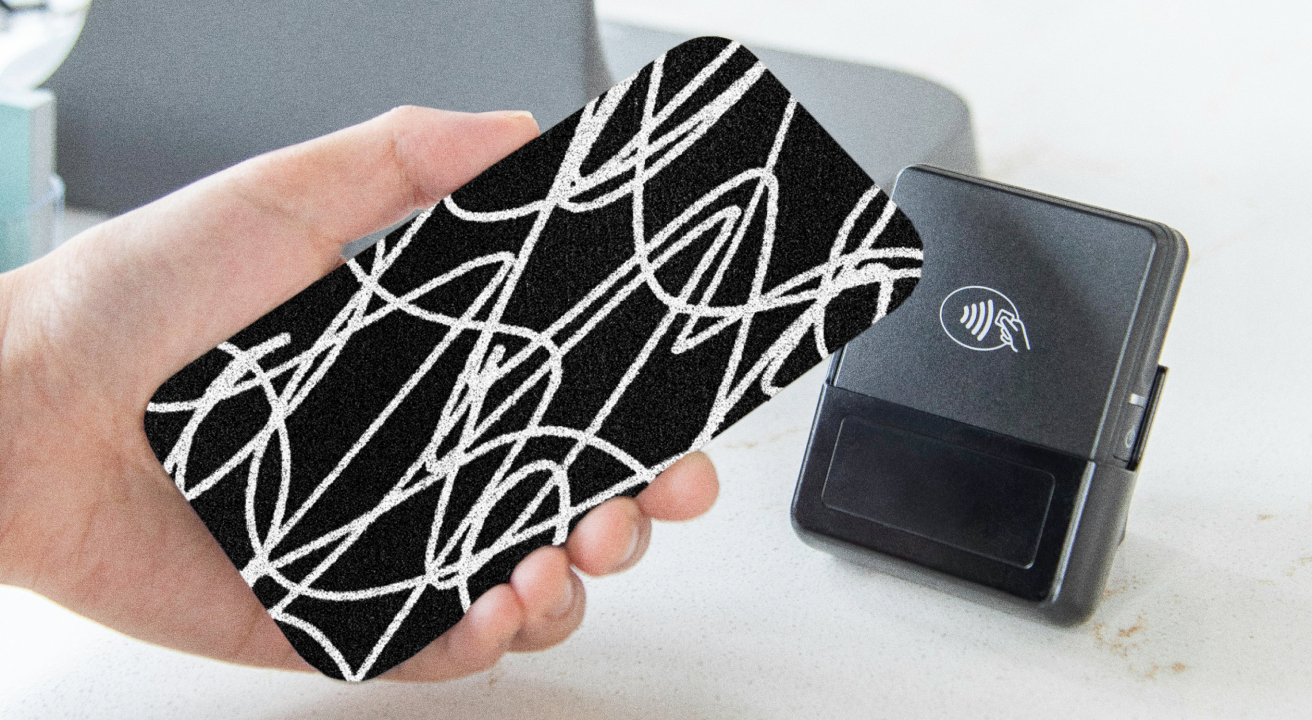
According to Custom Market Insights, the global mobile payments market was worth $86.45 billion in 2024 and $116.14 billion in 2025, with forecasts projecting growth to $1.71 trillion by 2034. Industry analysts at Tripwire estimate that global mobile payment transaction volume will exceed $12 trillion by 2027.
These numbers highlight the rapid development of the mobile payment industry. While the ability to use our phones for money transactions has provided us with more convenience, it has also exposed our devices to increasing threats.
Through sophisticated attacks, cybercriminals and hackers can access your financial data and steal your funds. With this in mind, mobile payment security becomes more important than ever.
In this guide, we will:
- Break down the different types of mobile payments
- Explore key mobile payment security standards and elements
- Highlight the most common mobile payment security risks
- Share expert best practices to help you secure your mobile payments
Mobile Payments: Definition & Most Common Types
Mobile payments refer to all transactions and fund transfers you make using your phone. There are several key types:
Compared to traditional payment methods, mobile payments offer more convenience, accessibility, and flexibility, leading to a smoother user experience.
Mobile Payment Security Standards and Elements
Despite the rapid adoption of mobile payments, some users remain wary due to lingering concerns about security. If you’re wondering, “Are mobile payments secure?”—the answer is: they generally offer more security compared to physical cards.
The common issue with physical cards is their magnetic stripe. Criminals can add a skimmer to the card reader and steal information from your card, which they can use to make purchases and take money from your account. In many cases, people don’t realize their card information has been stolen until it’s too late.
As mobile payments don’t involve using your physical card, you don’t have to worry about the risks related to the magnetic stripe. Plus, mobile payments involve certain standards and elements that ensure your transactions are secure, such as:
- Tokenization
- Two-factor authentication
- Encryption
1. Tokenization
Payment tokenization involves replacing sensitive card information with a unique identifier (token) for secure payments. Typically, the token is valid for only a certain amount of time and includes randomly generated numerals that enable safe transactions between the involved parties.
If a malicious actor intercepts the transaction, they won’t be able to access your card information since it’s replaced by the token, which has no inherent value.
2. Two-Factor Authentication
Two-factor authentication (2FA) enhances mobile payment security by requiring two forms of identification to complete a transaction. If either factor is compromised, the transaction will be canceled, reducing the risk of unauthorized access to your account and fraud.
Here are some examples of 2FA in mobile payments:
- SMS one-time password (OTP): After submitting your personal and card information on a website or app, you receive an SMS OTP, which you need to enter to complete the purchase.
- Biometric verification: Some websites and apps may have facial or fingerprint recognition as an additional authentication factor. This is particularly common in banking and finance apps or digital wallets.
- Mobile app authentication: Some apps, such as Wise, require you to open the app (and typically enter your password) to approve a payment.
3. Encryption
Encryption turns your sensitive data into an unreadable format, rendering it useless to anyone who doesn’t have the decryption key. It’s an efficient method for:
- Preserving data integrity: Malicious actors can’t tamper with encrypted data.
- Reducing the risk of fraud: Even if fraudsters access the encrypted data, they won’t be able to use it for unauthorized payments.
- Meeting necessary standards: The Payment Card Industry Data Security Standard (PCI DSS) requires data encryption as one of the best mobile payment security mechanisms.
Mobile Payment Security Threats and Challenges
Mobile payments are protected through robust security options, but no system is flawless. As technology evolves, mobile payments can become exposed to security threats that can lead to unauthorized access to your information, data loss, and financial damage.
Some of these threats are related to outside factors, while others are associated with your habits and protection measures. Here are six key threats and security issues in the mobile payment system you should be aware of:
- Phishing, vishing, and smishing
- Malware
- Fraudulent third-party apps
- Unsecured public networks
- Weak passwords
- Lost or stolen device
1. Phishing, Vishing, and Smishing
Phishing, vishing, and smishing are forms of cyberattacks where attackers trick people into revealing their sensitive information, typically by impersonating legitimate organizations, such as banks, online retailers, or telecommunications companies.
The difference between the three lies in the medium used for the attack:
These attacks have become even more advanced with the rapid developments in AI that help orchestrate complex campaigns to steal your information. They can be very convincing, so you need to stay vigilant.
2. Malware
Malware is malicious software designed to harm or exploit your device or network and can refer to viruses, Trojans, spyware, and other harmful programs. In the context of mobile payments, malware can:
- Steal your financial info
- Gain access to your banking apps
- Hijack your transactions
It often does this through methods like keystroke logging or capturing screenshots of your activity.
Malware can get on your phone through:
- Downloading apps from unreliable sources
- Opening malicious links or downloading files
- Visiting fraudulent websites
One notable case illustrates how serious the threat can be. In 2025, Kaspersky tracked 1.3 million banking Trojan attacks globally and reported a new wave of Android malware using Automated Transfer System (ATS) techniques. This software automates fraudulent bank transfers in the background, silently altering transfer amounts and recipients without the user noticing.
The dominant Trojan family in 2025, Mamont, still accounts for 57.7% of all mobile banking malware installation packages, and NFC-based fraud has emerged as a new attack vector, with fake apps mimicking banks to capture contactless payment data.
3. Fraudulent Third-Party Apps
Many merchants rely on third-party apps to accept payments, including payment processors, payment gateway providers, or POS vendors. If the app in question is fraudulent, it exposes both the merchant and customers to risks of data interception, theft, and loss.
In some cases, third-party apps outsource their work to other apps, which creates additional risks.
4. Unsecured Public Networks
Public WiFi networks typically don’t offer robust protection from cyberattacks, so they’re often targeted by malicious actors.
Since there’s a lack of proper protective measures, hackers can more easily intercept financial data and transactions and hijack your personal information to wipe your accounts. Hackers can also use such unsecured networks to distribute malware.
5. Weak Passwords
According to NordPass's 2025 research, “123456” remains the world's most common online password, topping the global list for the sixth time in seven years, and takes hackers less than one second to crack. This and similar passwords allow hackers to easily access your device or payment apps without you realizing until there’s money missing from your account.
The worst part is, many people use the same password (and username) across their accounts and apps. So, if a hacker guesses the combo once, they’ll try it for your banking app or digital wallet, which can potentially lead to significant financial loss, not to mention a severe data breach.
6. Loss or Stolen Device
If you don’t protect your device with strong authentication methods, and it gets lost or stolen, a malicious actor could easily gain access to your mobile wallet, banking app, and personal data.
For example, if your device isn’t protected with a password, the person who finds your phone can simply open your digital wallet and hold your device near a terminal to make NFC payments. They could empty your account before you even realize your phone isn’t with you.
Mobile Payment Security: 5 Best Practices
You can significantly reduce the risk of mobile payment security issues by taking proactive actions, using reliable apps, and simply exercising caution. Here are some practices you should follow:
- Use reliable payment apps
- Don’t click on suspicious links
- Set up strong passwords
- Use a VPN
- Choose a reliable mobile carrier
1. Use Reliable Payment Apps
Payment apps and digital wallets have access to your personal and financial information. In other words, they have direct access to your money and transactions. Unreliable apps with subpar security measures could misuse your information, sell it to third parties, or become an easy target of cyberattacks.
To avoid these risks, rely on payment apps with proven track records, transparent privacy and security policies, and positive user reviews. Additionally, you should always download your apps from reliable sources—Android users have the Play Store, and iOS users have the App Store.
2. Don’t Click on Suspicious Links
To avoid opening the door to viruses and malware, never click on links coming from unverified or unknown sources. Here are some tips that can help you identify suspicious links, messages, or emails:
- Always check the sender of the message/email. You’ll likely see an unknown number or a suspicious or misspelled email domain of an official organization. For example, you may notice @micros0ft.com instead of @microsoft.com.
- Check the grammar and spelling of the message/email. You’ll likely notice that the wording doesn’t sound natural in your language or find subtle mistakes.
- Analyze what the sender wants you to do. Your bank or payment app will never require you to enter your card information and CVC via a link for verification purposes. It will also never ask for your password.
3. Set Up Strong Passwords
Passwords like “123456” and “qwerty1” are easy to remember, but they’re also easy to guess. If a hacker or someone who finds your phone figures out your password, they could potentially access all your apps, make payments, and get a hold of your most sensitive information.
A strong password is your first line of defense, and here are tips to help you set one:
- Use a combination of letters (uppercase and lowercase), numbers, and symbols
- Make your passwords long, as it makes them harder to guess
- Don’t add personal information to your password
Don’t reuse the same password across accounts—that way, if one of your accounts gets broken into, others won’t be at risk.
4. Use a VPN
A VPN, or virtual private network, can protect your internet activity by masking your IP address and location, so malicious actors can’t track you. If you have to use a public WiFi or any network with questionable security measures, a VPN could offer additional protection for your personal and banking info.
Keep in mind that a VPN isn’t a foolproof solution—you should still exercise caution when using unsecured networks. It’s best to avoid making transactions on such networks.
5. Choose a Reliable Mobile Carrier
Your mobile carrier should protect you from network-level threats such as SIM swapping or phishing by employing strong privacy and security options. If proper protective measures aren’t in place, hackers could access your device, intercept calls and messages, and potentially infiltrate your accounts and financial information.
Due to their popularity, major carriers like AT&T, Verizon, and T-Mobile may seem like safe options that guarantee protection. But the Salt Typhoon espionage campaign, disclosed by U.S. officials in late 2024 and described by Senator Mark Warner as the worst telecom hack in U.S. history, found Chinese state-sponsored hackers inside at least nine major telecos, including all three mentioned.
According to U.S. officials, the attackers spent years accessing call metadata and lawful-intercept systems before being detected. As of early 2026, lawmakers and security officials are still questioning whether the carriers' networks have actually been secured. These breaches highlight a serious lack of privacy and security mechanisms offered by major providers—and no improvements in sight.
As these carriers collect a lot of your personal and financial information and potentially share it with third parties, this is a risk you shouldn’t ignore. There is an alternative—switching to a carrier like Cape that prioritizes security and privacy by design.
Cape: The Carrier Built for Security and Privacy
Cape is a privacy-first mobile carrier designed to keep your communications safe from surveillance and misuse. Unlike traditional cell phone plan providers, our business model centers around providing you with premium and secure call, text, and data, rather than harvesting and selling your information.
Our service is built from the ground up with privacy and security at its core, offering unique features like:
Privacy & Security Feature | Description |
Cape doesn’t ask for your name, address, or Social Security number. We only collect the information necessary to provide service, and we retain that information for the minimum amount of time possible. | |
Traditional carriers rely on a fixed International Mobile Subscriber ID (IMSI) to connect your device to cellular networks. This is a vulnerability that lets carriers, advertisers, and bad actors identify and track your device. Cape lets subscribers automatically rotate their IMSI every 24 hours, making it infinitely more difficult to track you or your device. | |
Many services ask for your phone number, but sharing it exposes you to spam, scammers, data brokers, and a variety of other risks. VoIPs, on the other hand, don’t work with 2FA, cost extra, and aren’t encrypted. With Cape, you get two free additional SMS/MMS lines that are middle-to-end encrypted. | |
Most U.S. carriers store your call and text metadata for years, sometimes indefinitely. Cape is built to forget, so call data records (CDRs) are deleted after just 24 hours. | |
Cape nullifies the threat of SIM swapping by completely removing humans from the loop. During signup, you receive a 24-word phrase that generates a private key tied to your number. This effectively means that no one (but you) can move your number to a new carrier or device, not even Cape. | |
Legacy network protocols, like SS7, leave you vulnerable to hackers that can track your location, intercept your calls and texts, and steal sensitive information. Cape’s Network Lock relies on a proprietary signaling proxy to verify that your device’s physical location matches the network it’s trying to attach to. If we detect anything out of the ordinary, Cape automatically blocks the connection, nullifying the potential threat. | |
Traditional voicemail systems are outdated, unencrypted, and another security hole bad actors can exploit to gain access to your sensitive information. Cape encrypts all voicemails, ensuring only you can access them. | |
While roaming, your phone connects to local telecom providers to enable service. But, who knows who might be listening on the other end. Cape provides you with peace of mind by routing your traffic through our U.S.-based mobile core, ensuring your identity, data, and communications remain private and secure. |
Ditch Legacy Carriers: Get Cape Today
Cape is a “Heavy” Mobile Virtual Network Operator (MVNO), meaning we own our mobile core and provision our own SIMs. This gives us full control over how accounts are authenticated and what data is collected (and for how long), and is how we are able to provide privacy and security features no other carrier on the market can offer.
Get started with Cape today and enjoy the peace of mind, knowing you are fully protected against scammers, hackers, bad actors, and other mobile threats.
To help protect more than just your phone, we’ve partnered with Proton. As a new Cape subscriber, you can choose between Proton Unlimited and Proton VPN Plus for just $1 for six months.
Share it
