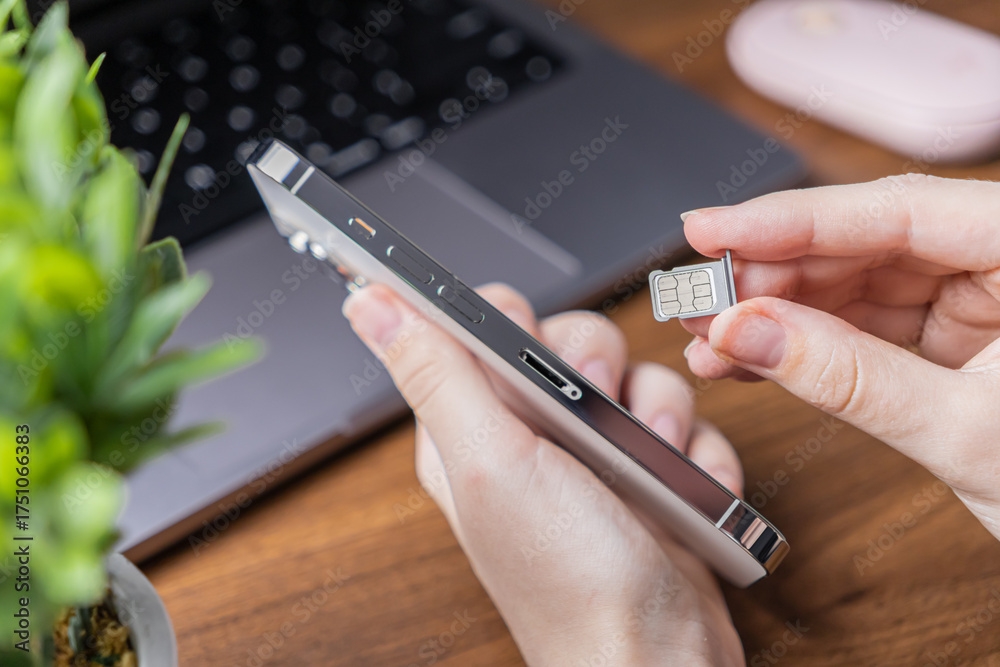
eSIMs are the latest standard in the SIM card world, offering increased flexibility, convenience, and protection to users. While they are more secure than their predecessors, eSIMs aren’t immune to threats. To avoid exposing yourself to unnecessary risks, it’s crucial to understand what “security” means in the eSIM context.
In this guide, we’ll discuss eSIM security in detail, explaining the advantages eSIMs offer and the risks you could still face. We’ll compare eSIMs and physical SIMs from a security standpoint to underline the key similarities and differences and recommend an eSIM provider that offers a high level of protection against threats.
Is an eSIM Safe? Key eSIM Security Features
eSIMs (digital SIM cards) are generally considered more secure than their physical counterparts for the following reasons:
- Improved physical safety
- Remote provisioning
- Encryption keys and authentication credentials
Improved Physical Safety
A significant advantage of all eSIMs, regardless of the provider, is their embedded design. eSIMs are built into the hardware of mobile devices; you don’t need to insert or remove a physical SIM card to benefit from the technology. Besides saving space and being more eco-friendly, the built-in chip has several notable benefits when it comes to security:
- Minimized risk of physical damage: eSIMs can’t get scratched, bent, or become easily exposed to moisture or corrosion. Since you can’t remove them from your device, there’s no risk of damage due to frequent swapping.
- Reduced tampering opportunities: Since they exist in the form of embedded chips, eSIMs can’t be forced open or easily modified by malicious actors.
- Eliminated risk of loss or theft: eSIMs can’t be stolen or lost as they don’t exist outside of your device. The only way for someone to access your eSIM is to steal the entire device; even then, device-level protections (like a strong password) can prevent unauthorized access to your eSIM and data.
Remote Provisioning
Setting up an eSIM doesn’t require contacting your carrier or device manufacturer for assistance or dealing with physical components. The entire process can be performed over the air (OTA), a method known as remote provisioning.
This is one of the most significant eSIM security features. Remote provisioning relies on robust cryptographic protocols, which guarantee that only you and the carrier can activate and manage SIM profiles. These protocols effectively minimize the risk of interception and unauthorized access during profile installation and activation.
Encryption Keys and Authentication Credentials
eSIMs rely on security elements like encryption keys and authentication credentials to:
- Safely store and transmit data required for efficient activation and ongoing functioning
- Shield from unauthorized access and interception
- Verify that your device is legitimate and authorized to receive the eSIM profile
These elements protect your eSIM from the moment you activate it, ensuring that your everyday use carries minimal risks of outside threats.
eSIM Security Risks: Facts and Misconceptions
eSIMs aren’t untouchable. They’re vulnerable to various types of threats and cyberattacks. Even so, they’re well-known for their security. Understanding exactly where the risks originate and how susceptible eSIMs are to specific threats can help you use your eSIM effectively and take the necessary steps to protect your device.
Below is a list of common mobile device security risks and detailed explanations on whether they affect eSIMs and how:
- Hacks
- SIM cloning
- SIM swapping
- Malware
- Carrier system vulnerabilities
1. Hacks
Can an eSIM be hacked? Yes, but hackers typically don’t directly target eSIMs because secure elements and cryptographic protections shield them from direct breaches. Instead, they leverage social engineering to gain unauthorized access to your device and eSIM.
According to Verizon’s 2025 Data Breach Investigations Report, the human element was a contributing factor in approximately 60% of breaches, and third-party involvement doubled to 30%, a reminder that the infrastructure you rely on (including your mobile carrier) is part of your security surface. Hackers continue to devise methods to trick users into disclosing sensitive information that grants them access to accounts, apps, and devices
Below are several strategies of social engineering that hackers use to get you to reveal your information:
- Sending messages pretending to be your mobile carrier, requiring you to authenticate your eSIM profile
- Creating fake mobile carrier websites and asking you to log in
- Sending emails asking you to confirm something by clicking on a link
- Calling you to say that your eSIM is suspended and that you need to verify your information to regain access to it
If you provide the requested information, hackers could access your eSIM and the entire device, potentially compromising your accounts, apps, and social media profiles.
To protect yourself against social engineering, it’s crucial to be cautious and apply the following measures:
- Avoid any suspicious links or files
- Reach out to your carrier via verified channels if you suspect somebody was impersonating them
- Never share your verification codes, PINs, or passwords with anyone
- Be skeptical of calls and messages that convey a sense of urgency
2. SIM Cloning
SIM cloning involves duplicating data from one SIM card to another. Malicious actors typically need physical access to a SIM to conduct cloning; since eSIMs are embedded into devices, they’re impossible to clone using the traditional method. In other words, the very design of eSIMs makes them virtually immune to this type of SIM cloning.
Due to the rapid development of technology, malicious actors no longer need to be in physical proximity of a SIM card to clone it. Today, specialized software tools can remotely extract the necessary information and create a SIM’s copy. While this is an increasing threat, it’s typically ineffective against eSIMs. Secure elements built into eSIMs prevent duplication, data extraction, and tampering of any kind.
3. SIM Swapping
Unlike SIM cloning, SIM swapping doesn’t directly target the SIM card; instead, it focuses on the carrier. To perform a SIM swapping attack, malicious actors need to:
- Collect information about you
- Convince your mobile carrier to transfer your phone number to a new SIM card by impersonating you
Remote provisioning and secure elements associated with eSIMs make it more challenging for malicious actors to carry out SIM swapping attacks, but they’re not impossible. This is because the success of a SIM swapping attack depends on the carrier; if the carrier relies on poor authentication and verification methods, SIM swapping becomes a realistic threat.
4. Malware
Malicious software (malware) doesn’t directly affect eSIMs. Instead, it compromises the entire device, including data, apps, and communications. In other words, malware creates an indirect path to your device’s eSIM, allowing malicious actors to:
- Manipulate eSIM settings
- Intercept calls and messages
- Access linked accounts
eSIMs can’t protect you from malware. To avoid it, you’ll need to focus on the following:
- Regularly updating your system
- Enabling multi-factor authentication (MFA)
- Using a firewall or a reliable security tool
- Avoiding clicking on suspicious links or downloading unverified apps
5. Carrier System Vulnerabilities
When discussing the security risks of eSIMs, potential carrier vulnerabilities are often overlooked, even though they pose a real risk and can “help” hackers bypass protections and access your eSIM profile.
The key issues are often associated with:
- Outdated infrastructure: Many carriers rely on legacy, trust-based architectures with poor security standards, enabling hackers to exploit weaknesses and access user data.
- Lack of security and privacy options: Carriers often lack features that can minimize the risk of network-level threats, allowing malicious actors to bypass these protections and access your device and data.
The only way to ensure high eSIM security is to carefully choose your provider. As a privacy-first mobile carrier that works seamlessly on eSIM-compatible devices, Cape is an excellent option for anyone seeking superior protection against threats and security risks.
How Does eSIM Security Compare to Physical SIMs?
To truly understand eSIM security, it’s crucial to compare it with physical SIMs. Below is a short eSIM vs. physical SIM security comparison that underlines key similarities and differences:
Security Risk | eSIMs | Physical SIMs |
SIM cloning | Less prone to it due to the embedded design | More vulnerable to it, especially if physically accessed |
Physical security | More physically secure, as they can’t be lost, stolen, or damaged | Not particularly secure; they can get stolen, lost, scratched, bent, and damaged due to water, dust, and other elements |
SIM swapping | Can be exposed to it; protection depends on the carrier | Can be exposed to it; protection depends on the carrier |
Social engineering, malware, and phishing | Can be exposed to it; the degree of potential damage mostly depends on your actions and your carrier’s protections | Can be exposed to it; the degree of potential damage mostly depends on your actions and your carrier’s protections |
Network-level threats (such as IMSI catchers or SS7 attacks) | Can be exposed to it; protection depends on the carrier | Can be exposed to it; protection depends on the carrier |
Cape: Excellent Coverage & High Security
The level of security an eSIM offers largely depends on the carrier that manages it. With Cape, you can be confident you’re getting the highest level of protection, thanks to its:
- Minimal data collection: Thanks to Cape’s minimal trust policy, you can sign up with only your phone number. In the unlikely case that Cape’s system is compromised, your personal information won’t be exposed because you never provided it.
- Proprietary mobile core: Cape operates on its own advanced network, which doesn’t rely on legacy protocols.
- Direct SIM profile management: To prevent tracking and misuse of IMSI and network identifiers, Cape directly manages SIM profiles.
- Advanced security and privacy features: Cape offers a range of options that shield you from network-level threats such as SIM swapping, SS7 attacks, or suspicious signaling requests.
Whether you’re located in the U.S. or traveling internationally, Cape’s got you covered. Reliable coverage and high security follow you around the world, from the U.S. and Europe all the way to Japan.
Cape Makes Security the Standard: Here’s How
Cape is America’s privacy-first mobile carrier, providing premium, unlimited, and nationwide call, text, and data. Unlike other providers, our service is built from the ground up with privacy and security at its core.
Mainstream carriers track you and store your data, often without your consent. Cape takes a different path—we collect the absolute minimum amount of information to provide you with service.
Any information we do collect is retained for the minimum amount of time possible. Most carriers store call data records (CDRs) for years, sometimes indefinitely. Cape stores yours for just 24 hours, and we have a commitment to never sell your data.
Cape service includes security features that no other carrier offers:
- Minimal Data Collection: During onboarding, we don’t ask for your name, Social Security number, or address. We only collect what’s necessary to provide you with service, and we retain it for the minimum amount of time possible.
- Identifier Rotation: Every SIM card has an International Mobile Subscriber ID (IMSI), a unique identifier which your device uses to register with cellular networks. Most carriers assign a fixed IMSI that stays the same for the life of your account, making it easy for your carrier, advertisers, and bad actors to identify and track your device over time. Cape breaks that pattern by allowing subscribers to automatically rotate their IMSI every 24 hours, so you appear as a different subscriber every day, making it much more difficult for anyone to follow or track your movements.
- Secondary Numbers: Your phone number is a target for data brokers and scammers. Retailers, websites, apps—everyone is routinely asking you to share your number with them, which exposes you to a variety of risks. Many turn to VoIP numbers to use as secondary lines, which can be helpful, but cost extra, don’t work with 2FA, and aren’t encrypted. Cape provides subscribers with two free additional SMS/MMS lines that are middle-to-end encrypted. With secondary numbers, you can reserve your primary number for communicating with your close friends and family, and use the other for anything from shopping and signing up for discounts, to receiving secure OTPs.
- Disappearing Call Logs: Call and text records reveal a lot about you, from who your closest relationships are to when and where communication took place. With traditional carriers, your call and text metadata doesn’t just disappear; it’s retained, analyzed, and folded into a lasting customer profile. At Cape, we’re built to forget and delete these records after just one day.
- SIM Swap Protection: A SIM swap happens when an attacker convinces your carrier to transfer your number to their device, allowing them to receive your calls and texts, trigger password resets, and gain access to your accounts. Cape protects against SIM swaps by removing humans entirely from the loop. During sign-up, you receive a 24-word phrase that generates a private key tied to your number. This phrase is the only way to move your number to a new device or carrier. No one, not even Cape, can transfer your number without your phrase, giving you full control over your number.
- Network Lock: Traditional cellular networks were designed for interoperability, not security. Outdated and legacy network protocols like SS7 have vulnerabilities that allow attackers to hack in and track your location, intercept your calls and texts, and steal sensitive information. Cape’s Network Lock uses a proprietary signaling proxy to verify that your device’s physical location matches the network it’s trying to attach to. If anything looks suspicious, like a mismatched location, we block the connection.
- Encrypted Voicemail: Voicemails can reveal more than you think, from personal messages to authentication codes, yet most voicemail systems are outdated and unencrypted. Cape encrypts your voicemails so that only you can access them.
- Secure Global Roaming: While you’re traveling abroad, your phone connects to local telecom providers to provide you with connectivity. But not all networks are secure, and not all governments treat privacy the same. Cape routes your traffic through our U.S.-based mobile core. Our Secure Global Roaming gives you the convenience of international data roaming without exposing your identity or communications. You get up to 15GB per month of international roaming included in your plan.
These features are made possible because we’re a “Heavy” Mobile Virtual Network Operator (MVNO).
Other MVNOs (such as Mint Mobile, Cricket, etc.) simply ride on top of the mobile core, SIMs, and physical infrastructure of their underlying MNO partner. At Cape, we actually own our own mobile core and provision our own SIMs.
This gives us control over how accounts are authenticated, what data we do and don’t collect, how long we retain it for, as well as the ability to build proprietary features like Identifier Rotation. No other carrier on the market has this capability.
Reclaim Your Privacy: Switch to Cape Today
Ready to ditch traditional telcos and switch to a privacy-first mobile carrier? Visit cape.co/get-cape to sign up.
Thanks to our partnership with Proton, you can also take your privacy a step further and get Proton Unlimited or Proton VPN Plus for only $1 for the first six months.
FAQs
Can an eSIM be transferred to a new phone if mine is stolen?
Are eSIMs vulnerable to SS7 attacks?
How is eSIM security regulated, and by whom?
Share it
